
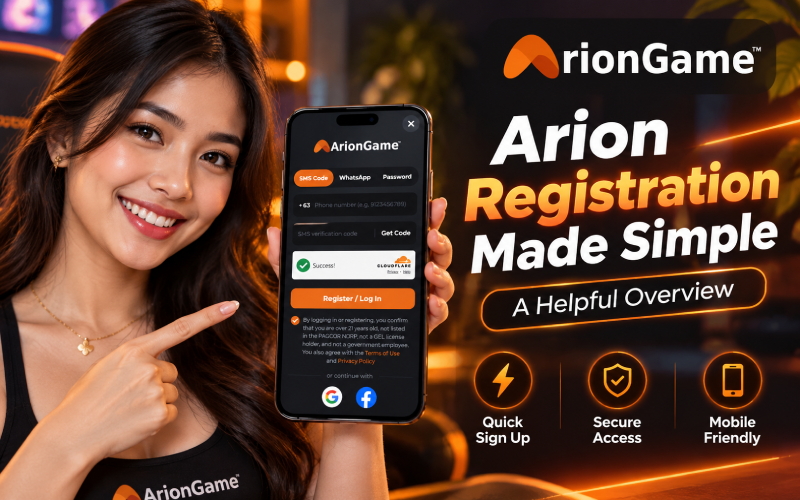
Getting started with a gaming platform shouldn’t mean struggling with confusing forms or guessing which button to press. Arion registration uses a straightforward sign-up screen with several ways to access an account, including SMS verification, WhatsApp and password options. When reviewing the ArionGame registration flow, the key details are the Philippine mobile number format, the verification check and the eligibility confirmation. Knowing what to expect before you begin can save time and help you make a more informed decision about creating an account.
What You Need Before You Start Your Arion Registration
Before opening the registration screen, prepare a few essentials:
- Be at least 21: The screen requires confirmation that you’re over 21.
- Have an active Philippine mobile number: Keep your phone nearby if you plan to receive an SMS code.
- Check your eligibility: The confirmation covers PAGCOR’s National Database of Restricted Persons (NDRP), GEL license holders and government employees. Read the applicable rules before proceeding.
- Use a stable internet connection: A reliable connection helps the verification page load correctly and reduces interruptions.
Also, review the platform’s Terms of Use and Privacy Policy so you understand the conditions and how your information will be handled.
Step-by-Step Arion Registration on ArionGame
The arion registration screen keeps the main actions together. Here’s how to work through it.
- Open the official page. Check the website address carefully before entering personal information. Avoid links from unknown messages or unofficial promotional pages.
- Tap Login / Register. This opens the account-access modal, which has three tabs: SMS Code, WhatsApp and Password.
- Choose a registration method. For the SMS route, select SMS Code. This is a practical starting point if you have access to your Philippine mobile number.
- Enter your phone number. The country code is already set to +63. Enter your ten-digit mobile number, such as 9123456789, without the leading zero.
- Request and enter the code. Tap “Get Code,” then type the verification code sent by SMS. This helps confirm access to the number associated with the account.
- Complete the checks and submit. Pass the Cloudflare check by waiting for the “Success!” confirmation. Tick the box confirming that you meet the stated age and eligibility conditions, then tap “Register / Log In.”
One useful tip: double-check the number before tapping “Get Code.” Correcting a typo early is easier than troubleshooting a code that never reaches the intended phone.
SMS Code, WhatsApp, Password or Social Sign-In: Which Is Best?
Each option suits a different situation, and the best choice depends on what’s available to you.
- SMS Code: A practical option if your Philippine SIM is active. It requires access to incoming messages, and delivery can sometimes be delayed.
- WhatsApp: An alternative if the option is available to you and you can access the relevant WhatsApp account. Follow the instructions displayed on the screen.
- Password: Will suit returning users who prefer password-based access. Follow the prompts shown, and use a strong, unique password if one is requested.
- Google or Facebook: Social sign-in can reduce the need to enter account details manually. However, it depends on access to the selected social account and the permissions requested.
ArionGame also displays Google and Facebook as alternative sign-in options. Don’t assume every method follows exactly the same verification process; check the current prompts before continuing.
Using Your Arion Game Login After You Register
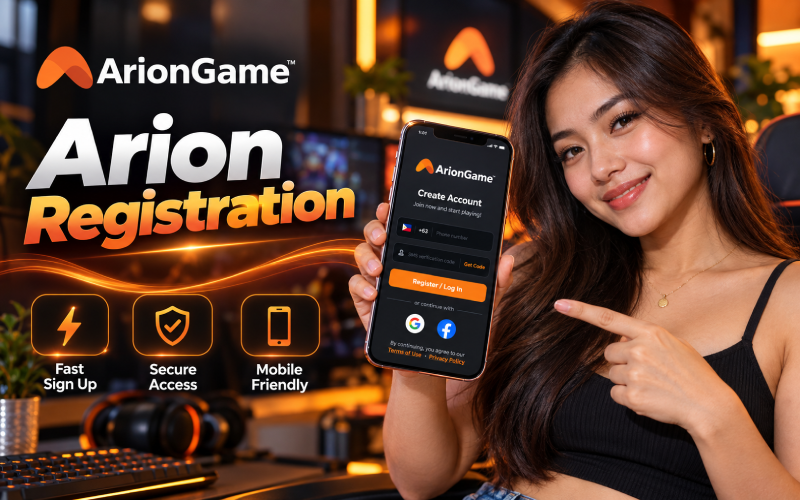
The same account-access screen handles registration and returning users through the “Register / Log In” button. This means you can select an available sign-in method instead of looking for a separate registration page each time.
For a safer arion game login, use a device you trust, lock your phone and avoid saving credentials on shared devices. If your SMS code doesn’t arrive, check your signal, confirm your number and wait briefly before requesting another code. Avoid repeated requests in quick succession, as this will cause delays or trigger temporary restrictions.
Never share a verification code with anyone claiming this need it to help you sign in.
A Quick Look at the Arion Game Lobby
After signing in, the bottom menu displays four sections: Home, Rewards, Game and Account. These provide the main navigation points without requiring you to search through a complicated menu.
Home is a natural place to begin exploring. Rewards provides access to the relevant rewards section, while Game takes you toward available gaming content. Account is the place to look for account-related options.
The arion game lobby is easier to navigate when you explore one section at a time. Read the displayed conditions before using any feature, and don’t assume that a reward is guaranteed or that every game has the same rules.
Safety, Responsible Play and Account Security
Treat account security as part of registration, not something to think about later. Keep your password private, never share one-time passwords (OTPs), and check the website address whenever you sign in. Verification checks can help protect access, but you don’t eliminate every security risk.
The eligibility confirmation deserves equal attention. The screen refers to being over 21, not appearing on the PAGCOR NDRP, not holding a GEL license and not being a government employee. Read the current Terms of Use and applicable PAGCOR rules to understand the requirements; don’t tick the box unless your circumstances meet the stated conditions.
Set a spending limit before playing, take breaks and never treat gaming as a way to earn reliable income. If playing stops being enjoyable or begins affecting essential expenses, step away.
FAQs
Yes. The screen offers SMS Code, WhatsApp and Password options alongside Google and Facebook sign-in. Choose an available method that suits your situation.
Check your signal and phone number, including the +63 format. Wait a little before trying again, and use only the official page’s available support options if the problem continues.
No. With +63 selected, enter the ten-digit number without the initial zero. For example, use 9123456789 rather than 09123456789.
You can try the available SMS Code option for returning access, provided the number remains accessible and the platform accepts it. Follow the current on-screen instructions.
Final Thoughts
A little preparation makes arion registration easier to follow, from entering your mobile number to completing the security and eligibility checks. Review the Terms of Use and Privacy Policy, confirm that you’re eligible, and register only through the official ArionGame page. Rules and screen layouts can change, so use the current instructions and keep responsible play a priority.