
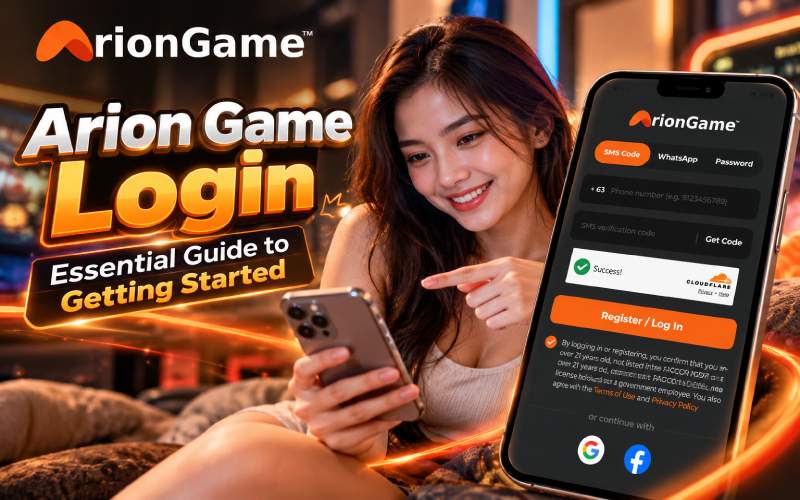
Imagine opening a gaming platform on your phone after a long day, only to pause at the login screen because you’re unsure which option to choose. For Filipino players trying ArionGame for the first time, understanding the arion game login process can make getting started less confusing. This guide explains how to register or log in using SMS Code, WhatsApp, or Password, what eligibility confirmations mean, and what to check after entering your account. You’ll also find practical troubleshooting tips and reminders for playing responsibly.
How to Complete Your Arion Game Login Step by Step
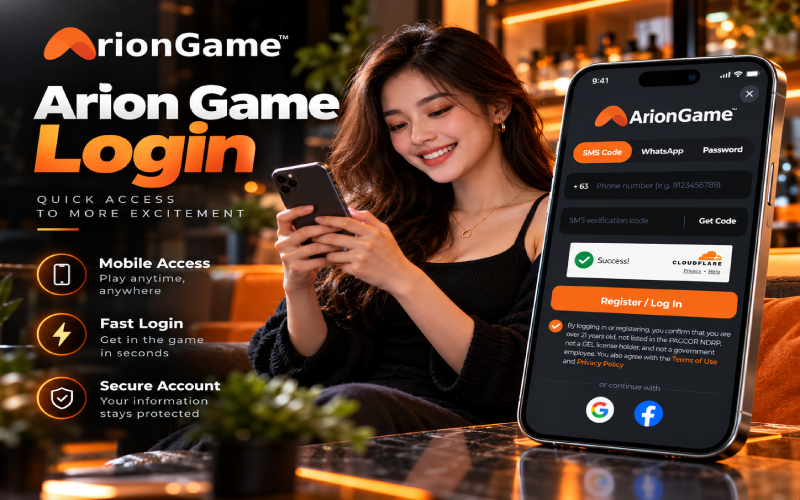
When going through the login screen, the first thing to notice is the three access methods: SMS Code, WhatsApp, and Password. Choose the option that suits your available login details.
Follow these steps for SMS Code:
- Open the official ArionGame site on your phone and go to its login or registration window.
- Select SMS Code and enter your Philippine mobile number. For example, if your number is 09123456789, enter the number without the initial zero: 9123456789, using the +63 country code shown by the interface.
- Tap Get Code to request an SMS verification code.
- Complete the Cloudflare security check when prompted. This helps block automated bot activity.
- Enter the requested verification code and review the required confirmations, including the age and eligibility statements and agreement to the Terms of Use and Privacy Policy.
- Tap Register / Log In to proceed.
SMS verification helps confirm access to the mobile number associated with the account. Keep your phone nearby while completing the process.
WhatsApp and Password: These are alternative methods displayed in the access window. WhatsApp will suit players who prefer that channel, while Password is convenient when logging in with existing password credentials. Follow the prompts shown on the official site.
Google and Facebook: Both sign-in options are also available. You can be convenient if you prefer an offered social-account login instead of entering an SMS code.
Eligibility and Account Requirements
ArionGame’s confirmation requires players to be over 21 and declare that we aren’t listed in the PAGCOR National Database of Registered Players (NDRP), aren’t holders of a GEL license, and aren’t government employees. Read each statement carefully before proceeding.
PAGCOR is the Philippine Amusement and Gaming Corporation, the country’s gaming regulator. Its regulatory context matters, but seeing a login window alone doesn’t establish a platform’s licensing status. Check the official ArionGame website and its Terms of Use and Privacy Policy for the applicable rules.
Use your own Philippine mobile number and accurate personal details. Don’t register using someone else’s information or tick a declaration you know isn’t true.
What to Do After Logging In: Exploring the Arion Game Lobby
Once you’re inside, take a moment to look around the arion game lobby before choosing anything. Start by identifying the available game options and reading the information displayed on the screen rather than tapping through unfamiliar menus.
On a smaller Android or iPhone display, move slowly and check each option before making a selection. The ariongame interface should be explored according to the controls and information actually presented; don’t assume every game or feature works the same way.
A practical tip: if free play is available, use it to learn the controls first. Otherwise, consider only low-stakes play that fits your budget. Review any displayed rules before participating, and avoid depositing money simply because you’re still learning how the lobby works.
Arion Newcomers Reward for First-Time Players
The arion newcomers reward is a promotion worth checking if you’re a first-time player. However, don’t assume that registering automatically qualifies you or guarantees a particular benefit.
Visit the official ArionGame promotional page and read the current terms before participating. Check eligibility, applicable wagering requirements, and any conditions attached to the offer. If a requirement isn’t clear, review the promotion details and contact the platform through its official support channel, if available.
Promotions and features will change, so rely on the current published terms rather than older advertisements or unverified claims.
Common Login Problems and Quick Fixes
- SMS code not arriving: Check your mobile signal and confirm that the number is correct before requesting another code.
- Cloudflare check won’t complete: Ensure your connection is stable, then reload the page and try the security check again.
- Incorrect number format: Check the displayed +63 country code. If the form expects the remaining digits, enter 9123456789 rather than adding an initial zero.
- Code expired: Request a fresh code and use the latest one provided.
- Still can’t log in? Return to the official site and carefully review the available access options.
Frequently Asked Questions
The login window offers SMS Code, WhatsApp, and Password. Google and Facebook sign-in are also available.
Check your number format and mobile signal, then request a new code if necessary.
Players must confirm that they’re over 21 and meet the other stated eligibility requirements.
Yes, both options are available through the sign-in interface.
Check the official ArionGame promotional page for current details, eligibility, and wagering conditions.
Conclusion
A straightforward arion game login starts with the correct mobile number, a completed security check, and careful review of the eligibility statements. Explore the lobby at your own pace, verify promotion terms, and keep play within your budget. Only participate if you’re eligible and comfortable with the risks.
Responsible gaming: For adults aged 21+ only. Set a firm budget, never chase losses, and seek help if gaming stops being fun.